
Resources

Free guides, actionable tips, and tools — straight from our team's real-world experience.

Everything on this page is written by the WordPress97 team — 14+ years of hands-on experience in WordPress, SEO, and digital marketing. No fluff, no recycled content from other blogs. Just the stuff that actually works.
WORDPRESS TIPS BLOG

WordPress Tips From The People Who Live In It

These are not theoretical articles written for search traffic. They are the exact same tips and fixes our team uses every week — written plainly so you can use them too.
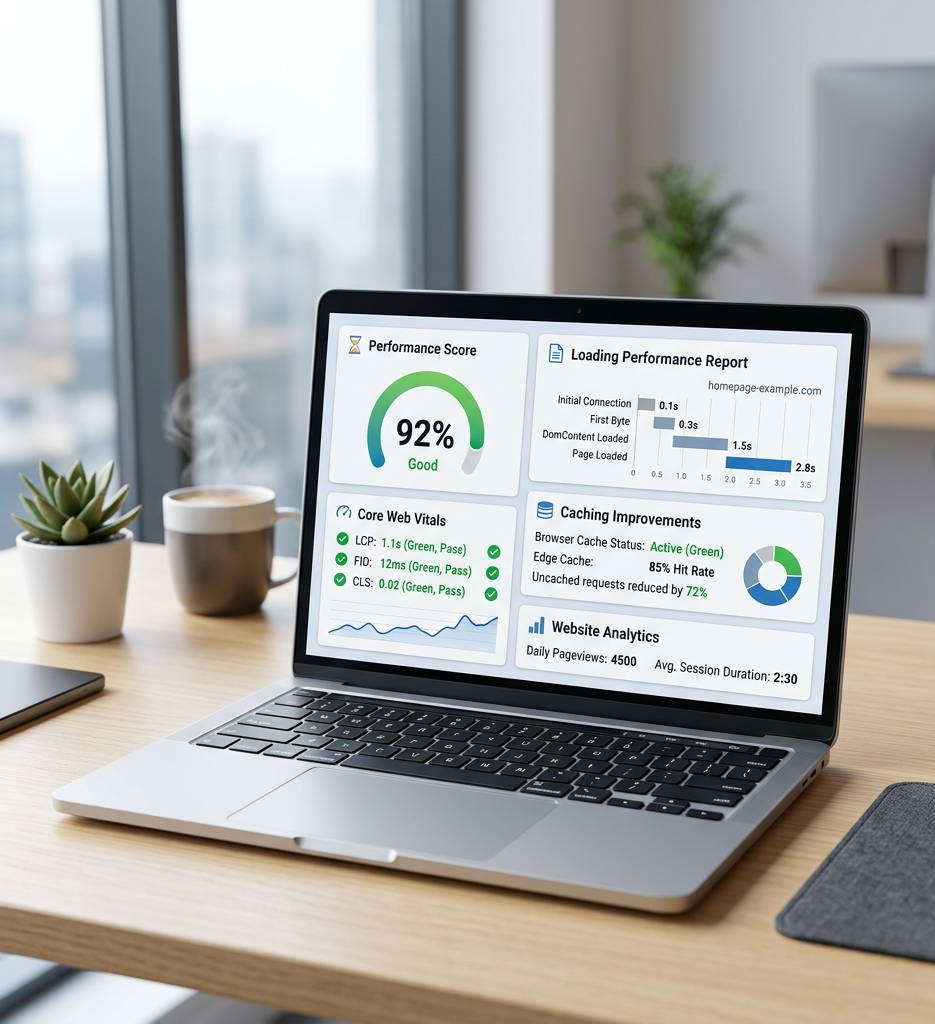

WordPress Speed

Why Your WordPress Site Is Slow (And Exactly How to Fix It)

A slow website doesn't just frustrate visitors — it actively costs you customers and Google rankings. In this guide, we break down the 8 most common causes of WordPress slowness and walk you through fixing every single one, step by step.

Article outline / headings:

  1. How to run a free PageSpeed Insights test and read the results
  2. The 5 plugins that secretly destroy your site’s speed
  3. How to install and configure WP Rocket for 10x faster load times
  4. Image compression done right: Imagify vs ShortPixel vs Smush
  5. What ‘server response time’ means and how to fix it
  6. Why your hosting provider might be the real problem
  7. The exact checklist our team runs for every speed audit
  8. Before & after: Real PageSpeed scores from our client sites
WordPress Security

Is Your WordPress Site About to Get Hacked? 10 Warning Signs

Most WordPress sites get hacked long before the owner notices. By then, it's too late — Google has blacklisted the domain, data has been stolen, or malware is silently redirecting your visitors to spam pages. Learn the warning signs and how to stop them.

Article outline / headings:

  1. 10 signs your WordPress site may already be compromised
  2. How hackers target WordPress sites (and what makes yours vulnerable)
  3. The must-have security plugins — and which ones actually work
  4. How to set up two-factor authentication on your WordPress login
  5. What to do immediately if your site gets hacked
  6. How reCAPTCHA eliminates 99% of spam form submissions
  7. The DKIM, SPF, and DMARC setup that protects your email too
  8. Our complete WordPress security hardening checklist (free download)
WordPress Plugins

The Only 12 WordPress Plugins You Actually Need in 2026

There are 60,000+ plugins in the WordPress repository. Most of them are unnecessary, many are abandoned, and some will actively break your site. Here are the only plugins our team installs on every client website — and why.

Article outline / headings:

  1. Why too many plugins kill your website’s performance
  2. The security plugin that blocks 95% of brute-force attacks
  3. The best caching plugin (spoiler: it’s not W3 Total Cache)
  4. SEO plugin showdown: Yoast vs RankMath — which wins in 2026?
  5. The form plugin that won’t slow your site to a crawl
  6. Backup plugins: what to use and how often to run them
  7. The one analytics plugin every WordPress site needs
  8. Plugins our team deliberately avoids — and why
WooCommerce

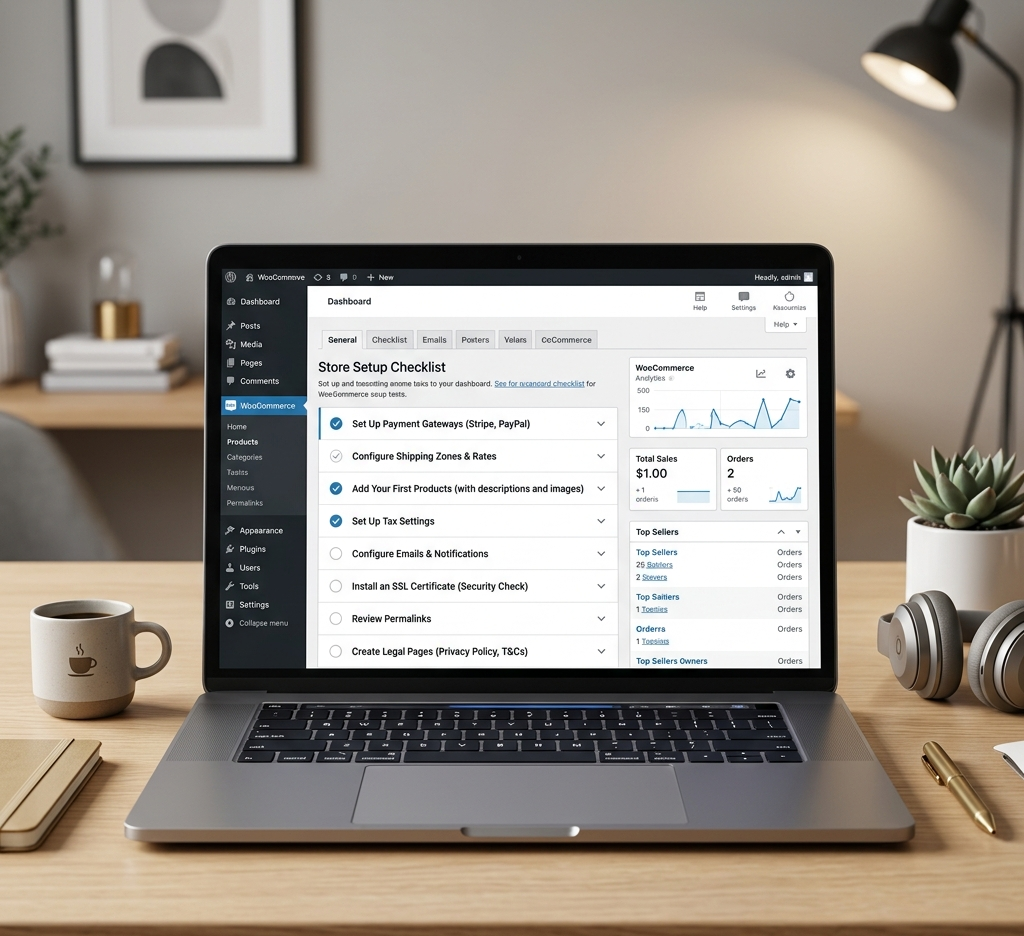
WooCommerce Setup Checklist: 20 Things to Do Before Your Store Goes Live

Launching a WooCommerce store without a proper setup checklist is how you end up with broken checkout flows, missing product variations, and a Google Search Console full of errors. We've set up dozens of WooCommerce stores — here's everything you need to check.

Article outline / headings:

  1. Choosing the right WooCommerce hosting from day one
  2. Setting up product variations correctly (the #1 mistake we fix)
  3. Payment gateway setup: Stripe, PayPal, and Square comparison
  4. Shipping zones, rates, and tax configuration explained simply
  5. The product schema markup that gets your items into Google Shopping
  6. Cart abandonment recovery — the tool that recovers lost revenue
  7. Google Analytics 4 ecommerce tracking setup for WooCommerce
  8. The 5 WooCommerce speed optimizations that make the biggest difference

  9. Pre-launch testing checklist: what to check before going live
SEO GUIDES

SEO Guides Built On Real Results

Every guide below reflects what our team actually does for paying clients. If it’s in here, it works — because we’ve seen it rank sites, not just read about it.

The Complete On-Page SEO Checklist for WordPress (2026)

Everything you need to optimize a single WordPress page for Google — from title tags to internal links.

Step 1: Set your target keyword and confirm search intent matches your page

Step 2: Write a title tag under 60 characters with keyword near the front

Step 3: Write a meta description under 155 characters with a clear benefit + keyword

Step 4: Use your H1 only once — make it compelling and keyword-rich

Step 5: Structure content with H2s and H3s that include related keywords naturally

Step 6: Add alt text to every image — describe it clearly with keyword where natural

Step 7: Include 3–5 internal links to related pages on your site

Step 8: Add schema markup (Article, LocalBusiness, FAQPage, or Product)

Step 9: Check PageSpeed score — aim for 85+ on mobile

Step 10: Submit the URL in Google Search Console and request indexing

Local SEO for Small Businesses: How to Rank in Your City in 2026

If you run a local business and you're not showing up in Google Maps or the local 3-pack, this guide is for you.

Step 1: Claim and fully complete your Google Business Profile

Step 2: Choose the right primary and secondary categories for your business

Step 3: Add photos — businesses with 10+ photos get 35% more clicks

Step 4: Get your NAP (Name, Address, Phone) consistent across every directory

Step 5: Build location-specific landing pages for each city/area you serve

Step 6: Add LocalBusiness schema markup to your homepage and contact page

Step 7: Actively request reviews — 50+ Google reviews dramatically improves ranking

Step 8: Respond to every review — Google rewards engagement

Step 9: Build local citations in Yelp, BBB, Bing Places, and industry directories

Step 10: Track your Map Pack ranking with a tool like BrightLocal or SE Ranking

Technical SEO Audit: 15 Checks Every Website Needs

Technical SEO is the foundation everything else builds on. If your site has crawl errors, slow load times, or duplicate content — no amount of keyword optimization will save your rankings.

Step 1: Connect Google Search Console and check for crawl errors and coverage issues

Step 2: Check for broken links (404 errors) and set up 301 redirects

Step 3: Ensure your site is on HTTPS — not HTTP

Step 4: Check that only one version of your site resolves (www vs non-www)

Step 5: Verify your XML sitemap is submitted and all important pages are included

Step 6: Check for duplicate title tags and meta descriptions across all pages

Step 7: Test mobile friendliness using Google’s Mobile-Friendly Test tool

Step 8: Check Core Web Vitals in Search Console — LCP, CLS, and FID scores

Step 9: Verify canonical tags are correctly set on all paginated or duplicate content

Step 10: Check that your robots.txt is not blocking important pages from Google

How to Do Keyword Research Like an SEO Pro (Without Paying for Tools)

You don't need a $200/month SEO tool to find great keywords. Here's the exact free process our team uses when starting a new client's SEO strategy.

Step 1: Start with Google Autocomplete — type your main topic and note all suggestions

Step 2: Use Google’s ‘People Also Ask’ and ‘Related Searches’ sections on any SERP

Step 3: Install the free Keywords Everywhere Chrome extension for volume data

Step 4: Use Google Search Console — if your site is live, it shows what you already rank for

Step 5: Analyse competitors using free tools: Ubersuggest, Ahrefs free tier, or Semrush free

Step 6: Group keywords by intent: informational, navigational, transactional, commercial

Step 7: Prioritise keywords by: relevance > intent match > volume > competition

Step 8: Map each keyword to a specific page on your site — one primary keyword per page

Step 9: Create a simple Google Sheet to track keywords, pages, and monthly rankings

FREE TOOLS
FREE TOOLS

Free Tools — No Sign-up Required

We built these because our clients asked the same questions over and over. Now they're free for everyone.
WordPress Site Audit Checklist

A downloadable PDF checklist covering 40+ points for a full WordPress audit.

How to use:

  • Download the PDF
  • Work through each section
  • Fix issues in priority order
  • Re-check monthly
PageSpeed Score Analyzer

Enter any URL and instantly see your Google PageSpeed score with a fix guide.

How to use:

  • Enter your website URL
  • Click ‘Analyze’
  • Review the score breakdown
  • Follow the recommended fixes
SEO Title & Meta Tag Generator

Enter your page topic and keyword — get an optimized title and meta description instantly.

How to use:

  • Enter your page’s main topic
  • Enter your target keyword
  • Click ‘Generate’
  • Copy and paste into your WordPress SEO plugin
Website Security Checker

Scan your WordPress site for common vulnerabilities, outdated plugins, and security risks.

How to use:

  • Enter your website URL
  • Run the security scan
  • Review the vulnerability report
  • Follow the remediation steps
Blog Post Title Generator

Struggling with blog headlines? Enter your topic and get 10 SEO-optimized title ideas.

How to use:

  • Enter your blog topic
  • Choose your content type (how-to, list, guide)
  • Click ‘Generate Titles’
  • Pick your favourite and start writing
Keyword Difficulty Estimator

Paste any keyword and get an estimated difficulty score plus 5 easier alternatives.

How to use:

  • Enter your target keyword
  • Click ‘Check Difficulty’
  • Review difficulty score (0-100)
  • Use the suggested easier alternatives to start ranking faster
DIGITAL MARKETING TIPS

Quick-win Marketing Tips For Business Owners

Google Ads

Google Ads on a Small Budget: How to Get Real Leads Without Wasting Money

Most small businesses either avoid Google Ads (thinking they can't compete) or burn through a budget with nothing to show for it. Both are avoidable. Here's the exact setup our team uses to run profitable Google Ads campaigns for businesses spending $300–$1,000 per month.

Article outline / headings:

  1. Why most small business Google Ads campaigns fail (and it’s not the budget)
  2. The only 3 campaign types that make sense for local service businesses
  3. How to structure your account: campaigns, ad groups, and keywords explained
  4. Writing ad copy that actually gets clicked — the formula we use
  5. Negative keywords: the hidden lever that cuts wasted spend by 40%
  6. Setting up conversion tracking — if you can’t measure it, you can’t improve it
  7. Smart bidding vs manual CPC: which is right for your budget size
  8. The monthly optimization checklist our team runs on every client account
Email Marketing

Cold Email That Actually Gets Replies: Our Outreach Strategy Explained

We've sent thousands of cold emails for B2B lead generation campaigns — and we've learned what works and what gets you straight to spam. This guide covers our full outreach stack and the exact email sequences that generate replies.

Article outline / headings:

  1. Why 90% of cold emails get ignored (and what to do instead)
  2. Building a clean prospect list — Apollo.io, LinkedIn, and lead scraping explained
  3. Email verification and why it’s non-negotiable (MillionVerifier walkthrough)
  4. Setting up DKIM, SPF, and DMARC to land in the inbox, not spam
  5. The 5-email outreach sequence that generates consistent replies
  6. Subject line formulas that get opened — with real examples
  7. Personalisation at scale: how to sound human when emailing 500 people
  8. Tracking opens, clicks, and replies — the tools we use

Want Us To Do This For Your Website?

Reading guides is great. Having an expert team implement everything is better.